Software
5 Best Thermal Drone Software Platforms (2026)


5 Best Thermal Drone Software Platforms for 2025
Thermal drone software is essential for transforming raw infrared imagery into actionable data. Whether you’re conducting rooftop heat-loss inspections, utility line thermography, or wildlife detection, the right software ensures accurate interpretation, automated reporting, and operational efficiency. In this guide, we explore five of the best thermal drone software solutions available in 2025, chosen for their real-world performance, analytics capabilities, and enterprise readiness.
1. DJI Thermal Analysis Tool 3.0 – Best Integration for DJI

DJI Thermal Analysis Tool 3.0 is a specialized software solution tailored for reviewing and analyzing thermal images captured by DJI drones. This Windows-based application is built to handle radiometric data from DJI payloads like the Zenmuse H20T, XT2, and M30T, enabling inspectors to measure temperature points, define isotherm zones, and generate heatmaps directly from R-JPEG files.
Its simplified interface makes it user-friendly for public safety professionals, infrastructure inspectors, and energy-sector surveyors who need fast insights without complex workflows. While it lacks the depth of some full-featured platforms, its seamless integration with DJI’s ecosystem makes it a reliable choice for DJI pilots seeking quick and accurate thermal diagnostics.
Pros and Cons
- Native integration with DJI thermal drones no sensor compatibility issues
- Radiometric measurement tools built in (point, line, area)
- Easy export of annotated reports for audits, insurance, or compliance needs
- Free for DJI enterprise customers low cost of entry
- Licensed only for DJI ecosystem—less flexibility for mixed‑fleet operations
- This tool focuses on post‑flight analysis rather than full mission planning or cloud workflows
- Limited advanced analytics (e.g., AI anomaly detection) compared to specialist software
Visit DJI Thermal Analysis
2. FLIR Thermal Studio Pro – Best Analytics Suite

FLIR Thermal Studio is a professional-grade desktop software developed by Teledyne FLIR to streamline and elevate thermal image analysis. Designed with inspectors, engineers, and surveyors in mind, it allows users to process thousands of images in batch, apply advanced analytics, and generate automated inspection reports. It’s especially useful for those working in industrial or energy-related drone inspections, where precision and report consistency are vital.
FLIR Thermal Studio supports radiometric JPEGs, allows temperature threshold overlays, and provides tools like isotherm mapping and emissivity correction. The user interface is robust and adaptable, offering deep control over thermal gradients and analysis layers. When paired with FLIR-equipped drones (like those using the Vue TZ20-R or Duo Pro R), it becomes an essential post-processing companion.
Pros and Cons
- Supports large volumes of thermal images and batch analytics—ideal for high‑output operations
- Strong measurement precision and customization for emissivity, materials, and thermal palettes
- Route‑based workflow support for repeat inspections and monitoring trends
- Requires more training than simpler tools—steeper learning curve
- Desktop‑only—less suited for mobile or in‑field rapid workflows
- Subscription cost adds recurring expenditure
Visit Flir Thermal Studio pro
3. TAx ThermoViewer – Best Lightweight & Sensor‑Agnostic Thermal Solution

ThermoViewer by TAx Technology is a post‑processing platform designed to handle radiometric thermal data from a variety of sensor sources. It allows users to import RAW thermal files, perform pixel‑level temperature measurements, export image sequences or stills with annotated temperature values, and merge or split thermal datasets. While the interface remains straightforward, it supports advanced conversion parameters such as gain, emissivity, and custom palettes—making it useful for users operating across drone brands or custom sensor rigs.
Pros and Cons
- Supports a broad array of thermal sensors and raw formats (including custom rigs)
- Lightweight, fast to use for simple thermal review tasks
- Lower one‑time licence cost compared to enterprise suites
- Less full‑featured for enterprise workflows (fleet management, cloud sharing)
- Lacks advanced cloud collaboration or mission automation
- Might require manual workflows/integration for larger-scale inspections
Visit TAx ThermoViewer
4. DroneDeploy Thermal Mapping Suite – Best Cloud‑Based Thermal Drone Platform
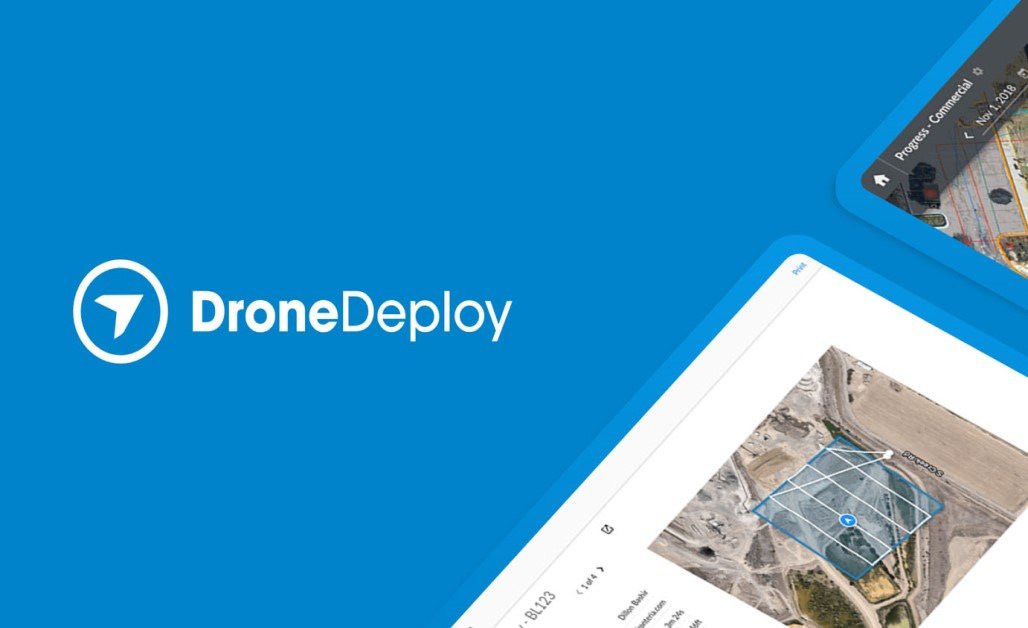
DroneDeploy’s Thermal Mapping Suite provides a fully integrated workflow designed for thermal drone inspections, from flight planning through to analytics and reporting. The platform supports thermal‑capable drones such as the Mavic 3 T, Matrice 4T and M30T, enabling automatic switching between RGB and IR capture, generation of thermal orthomosaics, and detection of hotspots or anomalies.
With web‑based collaboration, teams can view thermal maps, annotate points of interest, and share findings across field and office instantly. Advanced modules like Radiometric Processing let operators import true temperature‑embedded files and compare thermal and visual layers side‑by‑side. Ideal for large‑scale inspections—solar farms, roofing fleets, building envelopes—the software’s ability to convert thermal captures into actionable insights and reports makes it a strong choice for enterprises scaling inspection operations.
Pros and Cons
- Web‑based—accessible from field or office without heavy hardware
- Seamless collaboration and shared projects for inspection teams
- Automated hotspot detection and thermal‑RGB mapping side by side
- Requires good internet connectivity for large datasets in the cloud
- Subscription pricing may be high for smaller operators
- Processing times and data upload depend on network/infrastructure
Visit DroneDeploy
5. AirHub Thermal Integration – Best Fleet & Live‑Stream Thermal Drone Platform

Description
AirHub provides live thermal streaming from drones to dashboards, fleet operations logging, compliance tracking, and real‑time overlay of thermal video on maps. It’s tailored for emergency response teams, public safety, and dynamic environments where live thermal data and team coordination matter.
Pros and Cons
- Real‑time live streaming of thermal feeds to remote stakeholders
- Fleet‑level monitoring and compliance logging—useful for multi‑asset operations
- Thermal overlays on live map dashboards enable rapid decision‑making
- Less emphasis on detailed post‑flight analytics compared to mapping tools
- Relies on strong connectivity and real‑time data links—may be limited in remote zones
- Enterprise‑tier pricing may exceed budgets for smaller single‑drone operators
Visit Airhub
| Thermal Drone Software Platform | Platform Type | Thermal Features | Best For | Price / Licensing |
|---|
| DJI Thermal Analysis Tool | Desktop (Windows) | Radiometric JPG/TIFF processing, point/line/area tools | DJI enterprise users, inspections | Free with DJI Enterprise |
| FLIR Thermal Studio Pro | Desktop (Windows) | Batch thermal image analytics, inspection workflows | Utilities, oil & gas, R&D thermal teams | From ~$899/year USD |
| TeAx ThermoViewer | Desktop (Windows) | Raw thermal video playback, custom sensors | Custom rigs, academic missions | From €349 (~$375 USD) |
| DroneDeploy Thermal Suite | Web‑based | Cloud thermal orthomapping, hotspot detection | Roofs, solar, building envelope inspection | From ~$499/month USD |
| AirHub Thermal Integration | Web + Mobile App | Live streaming thermal feeds, fleet ops | Emergency response, field RT thermal ops | Licensing via enterprise quote |
5 Best Thermal Drone Software Platform Conclusion
Thermal drone software plays a pivotal role in turning raw infrared data into actionable insights. Whether you’re flying a compact inspection drone or deploying a full survey fleet, the right software elevates your mission outcome. From DJI’s seamless tool for enterprise pilots to DroneDeploy’s scalable cloud platform for teams in the field, these five solutions cover the spectrum of thermal workflows, data complexity, and organizational scale. Choose the one that aligns with your sensor ecosystem, mission type, operational budget and put your thermal drone strategy to work.